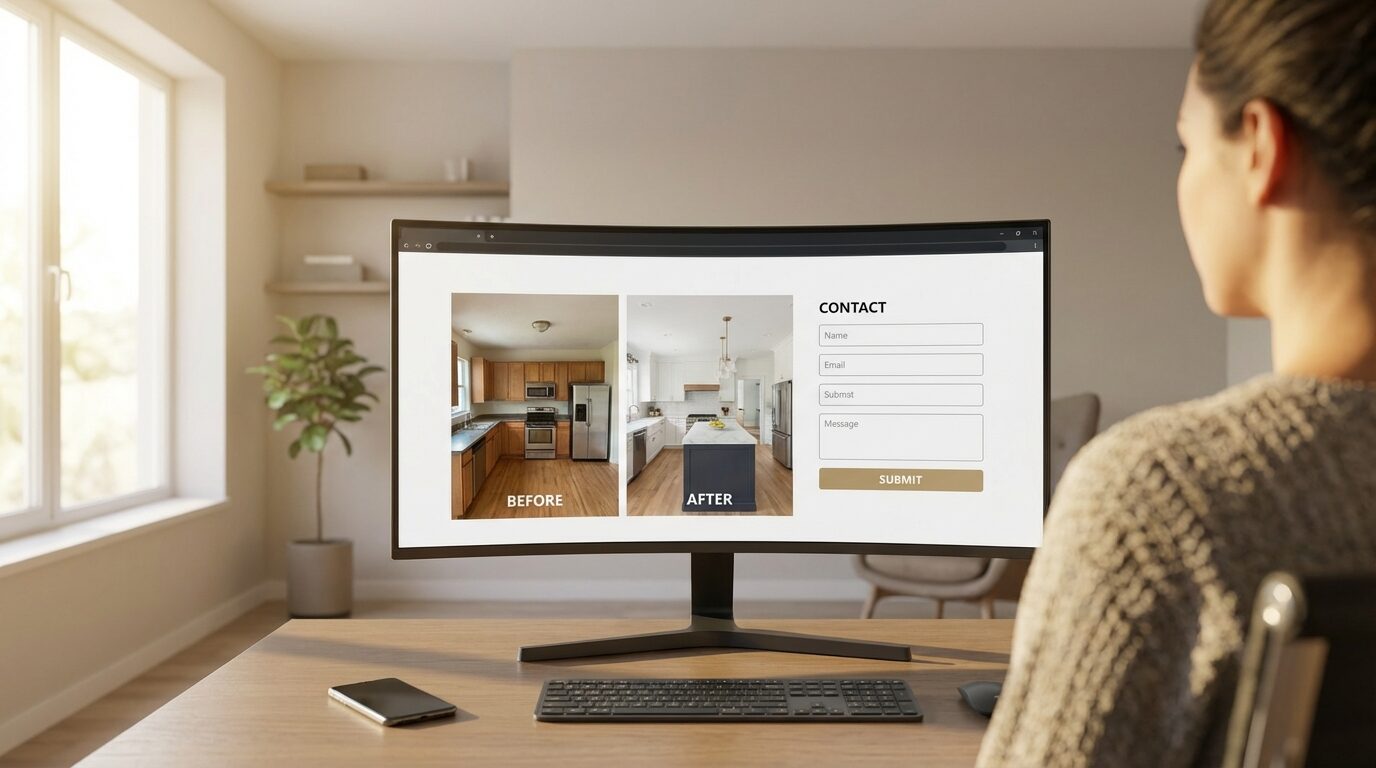
Why Do Most Contractor Websites Fail to Generate Leads?
Here's a question that might sting a little: when was the last time your website actually generated a lead?
Not a referral who happened to look you up. Not someone who already had your number and just wanted to see your work. A stranger. Someone with a problem (a leaky roof, outdated windows, a kitchen they hate) who found your website, decided you were the right contractor, and reached out.
For most contractors, the honest answer is: rarely. Maybe never.
And the frustrating part? The website looks fine. It's got nice photos. It lists your services. It has your phone number somewhere. Your buddy said it looks professional. Your wife likes it.
But "looks fine" and "generates leads" are two completely different things.
The fundamental problem is this: most contractor websites are built to impress the contractor, not to convert the homeowner. They're digital brochures. They say "look at us" instead of "here's how we solve your problem."
Think about the typical contractor homepage. There's a stock photo of a house or a smiling worker in a hard hat. There's a tagline like "Quality Work, Fair Prices" or "Serving the Greater Dallas Area Since 1995." There's a nav bar with Home, About, Services, Gallery, Contact.
Now think about what the homeowner actually needs when they land on that page. They have a problem. They want to know if you can fix it. They want to know if they can trust you. And they want to know what to do next.
The typical contractor website answers none of those questions in the first three seconds. So the homeowner does what everyone does when a website doesn't immediately resonate: they hit the back button and try the next result.
You're not losing these leads to a better contractor. You're losing them to a website that didn't give them a reason to stay. The good news? Every single one of these problems is fixable. And you don't need a complete redesign to do it.
Let's walk through the seven things that actually matter.
Fix #1: Write a Headline That Speaks to the Homeowner's Problem
Your headline is the most important sentence on your website
- It's the first thing visitors read, and often the only thing
- It should name the problem, offer the solution, and give a clear next step
- Most contractor headlines talk about the company, not the homeowner
"Quality Roofing Since 1995" tells the homeowner absolutely nothing useful. It doesn't address their problem. It doesn't promise an outcome. It doesn't give them a reason to keep reading.
Compare that to: "Roof Leaking? Get a Free Inspection Within 24 Hours."
That headline does three things in one sentence. It identifies the problem (leaking roof). It offers a solution (free inspection). And it creates urgency (within 24 hours). The homeowner reads that and thinks "yes, that's exactly what I need."
Here's the formula: Problem + Solution + Action.
Let me give you examples for different trades:
- HVAC: "AC Struggling to Keep Up? Same-Day Diagnosis, No Service Fee."
- Windows: "Drafty Windows Driving Up Your Energy Bill? Free In-Home Estimate."
- Kitchen Remodel: "Ready for the Kitchen You Actually Want? See Our Work & Get a Quote."
- Painting: "Peeling Paint Making Your House Look Tired? Free Color Consultation + Quote."
- Siding: "Cracked or Faded Siding? Get a No-Pressure Quote This Week."
Every one of these headlines speaks to the homeowner's situation, not the contractor's ego. The homeowner sees themselves in the headline. That's what stops the scroll and keeps them on the page.
Quick test: Go to your homepage right now. Read the headline. Does it mention the homeowner's problem, or does it talk about your company? If it's about you, rewrite it today. This single change can double your conversion rate.
Fix #2: Put Click-to-Call Above the Fold on Mobile
60%+ of your traffic is on a phone: design for it
- Your phone number should be a big, tappable button, not plain text
- It should be visible without scrolling (above the fold)
- A sticky header with a call button keeps it accessible everywhere
This is the single easiest fix on this list, and it's shocking how many contractor websites get it wrong.
More than 60% of contractor website traffic comes from mobile devices. For some trades and some markets, it's over 75%. These are homeowners sitting on their couch, standing in their kitchen looking at a problem, or scrolling during their lunch break.
They're on a phone. They want to call you. Make it dead simple.
That means your phone number isn't just text in the header: it's a big, tappable button with a clear label like "Call Now" or "Tap to Call." It should be visible without scrolling. The homeowner shouldn't have to hunt for it, tap into a menu, or navigate to a contact page.
The best approach? A sticky header or a sticky footer bar with a call button that follows the user as they scroll. No matter where they are on your site, the phone number is one tap away.
Here's how to test this yourself: pull out your phone right now. Open your website. How quickly can you call your company? If it takes more than one tap after the page loads, you're losing calls.
Every extra step (scrolling, tapping a menu, finding a contact page) is a point where the homeowner thinks "I'll do this later" and never comes back. Reduce friction to zero. One tap. That's it.
Fix #3: Show Social Proof Within the First Scroll
Homeowners don't trust contractors by default: earn it in 3 seconds
- Display Google review stars and review count prominently
- Show before/after photos from real jobs
- Include a line like "Trusted by 500+ homeowners in [city]"
Let's be blunt about something: homeowners are skeptical of contractors. They've heard the horror stories. They know someone who got ripped off. They've seen the news segments about fly-by-night operators.
When a homeowner lands on your website, they're not thinking "this looks like a great company." They're thinking "is this one of the good ones, or am I going to regret this?"
Social proof (reviews, ratings, testimonials, project counts) is the fastest way to overcome that skepticism. It answers the trust question before the homeowner even consciously asks it. Our data-driven analysis of what homeowners actually look for on contractor websites confirms that reviews and proof of work outrank every other element.
Here's what should be visible within the first scroll on your homepage:
- Google review stars with count: "4.9 stars from 187 reviews" hits harder than any tagline you could write. It's proof from real people.
- A trust statement: "Trusted by 500+ homeowners in Dallas" or "Over 2,000 roofs replaced since 2015." Specificity beats vagueness.
- Before/after photos: Not buried in a gallery page. Right there on the homepage. Real jobs, real results.
- Short testimonial snippet: One or two lines from a real customer, with their name and city. "They replaced our entire roof in two days. Professional, clean, and fair. - Sarah M., Plano"
Don't make homeowners click through to a separate reviews page to find this information. By the time they get there, most have already left. Put the proof where the eyeballs already are: the homepage, above the fold or just below it.
Want the full playbook on managing your reviews? Read our Complete 2026 Guide to Online Reviews for Contractors.
Fix #4: Use an Inline Lead Form, Not a Buried Contact Page
The old model is broken: stop sending people to a contact page
- Embed a short lead form directly on the homepage
- Put forms on every service page and in the sidebar
- Keep it short: name, phone, zip, project type: that's it
The old website model goes like this: the homeowner visits your site, reads some stuff, decides they're interested, navigates to the "Contact" page in the menu, fills out a form with 8-10 fields, and submits it.
That's a lot of steps. And every step is a place where the homeowner drops off.
The new model is simpler: put the form right where the homeowner already is. On the homepage. On every service page. In the sidebar. After every section that builds interest. Don't make them go looking for it: put it in their path.
And keep it short. The ideal lead form for a contractor website has four fields:
- Name (first name is enough)
- Phone number
- Zip code
- Project type (dropdown)
That's it. You don't need their email address to book an appointment. You don't need their street address yet. You don't need a text field where they describe their project in detail. Every additional field you add costs you conversions.
Think about it from the homeowner's perspective. They're on their phone. They have a problem. They want to talk to someone. Are they going to type out a paragraph explaining their kitchen remodel vision? No. They'll type their name, tap their phone number, pick "Kitchen Remodel" from a dropdown, and hit submit. Thirty seconds, done.
The contact page isn't dead, but it shouldn't be the only place a homeowner can reach you. The form should meet them wherever they are on your site, at the exact moment they're ready to take action.
Need a Website That Actually Converts?
We build AI-ready contractor websites designed from the ground up to generate leads, not just look pretty. Custom design, fast load times, conversion-optimized forms, and built to work with your lead generation campaigns.
Learn About Our WebsitesFix #5: Speed Matters More Than Design
A slow website is a dead website, especially on mobile
- Every 1-second delay in load time reduces conversions by 7%
- Most contractor websites load in 5-8 seconds on mobile (terrible)
- Compress images, minimize plugins, use fast hosting
- Target a Google PageSpeed score of 80+
You can have the best headline, the perfect lead form, and glowing reviews. But if your website takes 6 seconds to load on a mobile phone, none of it matters. The homeowner is gone before they see any of it.
Google's own data shows that 53% of mobile visitors leave a site that takes longer than 3 seconds to load. Three seconds. And most contractor websites (especially the ones built on heavy WordPress themes with a dozen plugins) load in 5 to 8 seconds on mobile connections.
That means more than half your visitors are bouncing before they even see your homepage. You're paying for traffic (through ads, through SEO, through word of mouth), and your slow website is throwing that money away.
The biggest culprits:
- Uncompressed images: That 4MB hero photo of a roof looks great on desktop, but it takes forever on a phone. Compress every image. Use WebP format. There's no reason any image on your site should be larger than 200KB.
- Too many plugins: Every WordPress plugin adds JavaScript and CSS that the browser has to download and process. If you have 20+ plugins, your site is slow. Audit them. Remove anything you're not actively using.
- Cheap hosting: If you're on a $5/month shared hosting plan, your website is sharing resources with hundreds of other sites. When traffic spikes (like when a lead actually visits), your site slows to a crawl. Upgrade to a quality host.
- Render-blocking scripts: Third-party scripts for chat widgets, analytics, pop-ups, and social media plugins all compete to load first. Defer anything that isn't essential.
Action step: Go to pagespeed.web.dev right now and test your website on mobile. If your score is below 50, speed is actively killing your conversions. Aim for 80+. If you can't get there with your current setup, it's time for a new platform.
Speed isn't glamorous. Nobody's excited about image compression. But the difference between a 2-second load time and a 6-second load time can be the difference between 10 leads a month and 3. From the same traffic.
A fast, ugly website will outperform a slow, beautiful website every single time. Speed is the foundation everything else is built on.
Fix #6: Create Service Pages That Actually Rank
One page per service, optimized for local search
- "Roof Replacement in Dallas", not just "Services"
- Each page: 500+ words, local keywords, real job photos
- Include pricing context, process overview, and FAQ section
- This is how you rank for "[service] + [city]" searches
Most contractor websites have a single "Services" page that lists everything they do in bullet points. Roofing. Siding. Windows. Gutters. Maybe a sentence or two about each. That's it.
That page will never rank for anything. Google has no reason to show it when someone searches "roof replacement Dallas" or "kitchen remodeling Austin" because it doesn't provide enough information about any specific service in any specific location.
The fix is straightforward: create a dedicated page for each service you offer, optimized for your local market.
Here's what each service page should include:
- A specific title: "Roof Replacement in Dallas, TX", not "Roofing Services." Include the service name and your primary city.
- 500+ words of real content: Describe what the service involves, what the homeowner can expect, how long it takes, what materials you use. Don't keyword-stuff: just be genuinely helpful and specific.
- Photos from actual jobs: Not stock photos. Real before/after photos from your projects. Google knows the difference. Homeowners know the difference.
- Pricing context: You don't need exact prices, but ranges help. "Most roof replacements in the Dallas area range from $8,000 to $15,000 depending on size and materials." This answers the question every homeowner is thinking but feels awkward asking.
- A process overview: What happens after they contact you? Inspection, estimate, scheduling, the work itself, cleanup, warranty. Transparency builds trust.
- An FAQ section: Answer the 3-5 most common questions about that specific service. "How long does a roof replacement take?" "Do I need to be home?" "What warranty do you offer?" This also helps with SEO: Google loves FAQ content.
- A lead form: Right there on the page. Not a link to the contact page. The form itself, ready to fill out.
When you do this for each service, two things happen. First, you start ranking for long-tail local searches: "siding installation Fort Worth," "bathroom remodel Plano TX," "gutter replacement near me." Second, homeowners who land on these pages convert at a much higher rate because the content is directly relevant to what they need.
A homeowner searching for "window replacement Houston" who lands on a page specifically about window replacement in Houston is far more likely to reach out than one who lands on a generic "Services" page and has to figure out if you even do windows. This is also critical for AI search visibility, since tools like ChatGPT pull answers from pages with detailed, specific content.
Fix #7: Add Trust Signals That Overcome Contractor Skepticism
Address the fear directly: homeowners have been burned before
- License number, insurance info, BBB rating
- Manufacturer certifications (GAF, Owens Corning, etc.)
- "Background-checked employees" and warranty details
- Make these visible, not buried in fine print
We talked about social proof in Fix #3: reviews, testimonials, project counts. Trust signals are the other half of the trust equation. Social proof says "other people liked us." Trust signals say "here's concrete proof that we're legitimate and accountable."
Why does this matter so much for contractors specifically? Because the home improvement industry has a trust problem. According to the NARI, contractor-related complaints are consistently among the top categories at the Better Business Bureau. Homeowners know this. They've read the Yelp horror stories. They've seen the Nextdoor threads.
So when they land on your website, there's a voice in the back of their head asking: "What if this goes wrong? What if they take my money and disappear? What if the work is terrible?"
Your website needs to address that fear directly. Not with vague claims like "we're reliable" or "we stand behind our work." With specific, verifiable credentials:
- License number: Display it prominently. "Licensed in Texas: #12345." It shows you're legitimate and have nothing to hide.
- Insurance information: "Fully insured: $2M general liability, workers' comp on all crews." This is a huge concern for homeowners. Make it visible.
- BBB rating: If you have an A+ rating, show it. If you're BBB accredited, display the badge.
- Manufacturer certifications: GAF Master Elite, Owens Corning Preferred, James Hardie Elite Preferred: these mean something. They prove you've been vetted by the people who make the products.
- Background-checked employees: If you run background checks on your crew, say so. Homeowners are letting strangers into their homes. This matters more than you think.
- Warranty information: Don't make people ask about your warranty. Put it right on the website. "25-year manufacturer warranty + 10-year workmanship guarantee." The specificity builds confidence.
The key is visibility. Don't bury this information on an "About" page that nobody reads. Put license numbers in the footer. Put certification badges on the homepage. Put warranty information on every service page. Weave trust signals throughout the entire site.
A homeowner who can see your license number, insurance info, and manufacturer certifications in the first 30 seconds of visiting your site is far more likely to fill out that lead form than one who has to take it on faith that you're legitimate.
Related: The GoHighLevel Problem: why template landing pages undermine the trust signals that matter most.
The Compound Effect: What Happens When You Fix All 7
Each of these fixes moves the needle on its own. But the real power is in the compound effect: what happens when all seven are working together.
Let me walk you through the math.
The average contractor website converts at about 1-2% of visitors into leads. That means for every 1,000 people who visit your website, you get 10-20 leads. For most contractor websites with decent traffic, that's roughly what you're getting.
Now let's say you implement all seven fixes. You write a headline that resonates. You make click-to-call obvious on mobile. You show social proof immediately. You put inline lead forms everywhere. You speed up your site. You create service pages that rank. You display trust signals throughout.
A well-optimized contractor website converts at 3-5%. Let's be conservative and say 3%.
Going from 1% to 3% doesn't sound dramatic until you do the math:
That's an extra $50,000 in revenue per month. Not from more traffic. Not from more ad spend. From the same visitors you're already getting: they're just converting instead of bouncing.
Over a year, that's $600,000 in additional revenue from a website that does its job.
This is why it drives me crazy when contractors spend $5,000/month on ads driving traffic to a website that converts at 1%. They'd be better off spending $2,000 on ads and $3,000 fixing the website. The math is clear.
And here's the really powerful part: when your website converts better, everything else gets cheaper. Your cost per lead goes down because more visitors become leads. Your speed to lead improves because the website is doing more of the qualifying work. Your ad ROI goes up because the same spend generates more revenue. It's a multiplier effect across your entire marketing operation.
Putting It All Together: Weak Website vs. Converting Website
Let's make this concrete. Here's what a typical homeowner journey looks like on a weak website versus a website with all seven fixes in place:
- Homeowner searches "roof repair Dallas"
- Lands on homepage: stock photo, "Quality Work Since 1995"
- Scrolls, sees service list, generic text
- No reviews visible, no trust signals
- Phone number is text in the header, not tappable
- Navigates to "Contact": form has 10 fields
- Site loads slowly, images are blurry on mobile
- Hits back button, tries the next Google result
- Homeowner searches "roof repair Dallas"
- Lands on "Roof Repair in Dallas" service page (Fix #6)
- Headline: "Roof Leaking? Free Inspection in 24 Hours" (Fix #1)
- Sees "4.9 stars, 200+ reviews" and before/after photos (Fix #3)
- Big "Call Now" button at top, sticky on scroll (Fix #2)
- Short lead form right on the page (Fix #4)
- Page loads in 2 seconds (Fix #5)
- License, insurance, and certifications visible (Fix #7)
- Fills out the 4-field form, becomes a lead
Same homeowner. Same need. Completely different outcome.
The weak website lost a lead. The converting website gained one. And the only difference was how the website was built, not the quality of the contractor behind it.
That's the part that should make you angry, if you're a great contractor with a bad website. You're losing jobs to worse contractors who happen to have better websites. Not fairer, just reality.
None of these seven fixes require a computer science degree. They don't require a massive budget. Most of them can be implemented in a weekend by someone who knows what they're doing. And while you're optimizing your website, make sure your Google Business Profile is equally dialed in, since that's often the first thing homeowners see before they even visit your site, or over a few weeks if you're DIY-ing it.
But they require intention. They require looking at your website not as a brochure about your company, but as a tool designed to convert strangers into leads. That shift in perspective is the real fix. The seven tactics just follow from it.
Start with the ones that are easiest to implement: the headline, the click-to-call button, the lead form. Then work your way through the rest. Track your numbers. Compare your conversion rate before and after. The data will speak for itself.
And if you'd rather have someone handle it for you (someone who's built conversion-optimized contractor websites from the ground up), we should talk.
Ready to Turn Your Website Into a Lead Machine?
We build contractor websites designed to convert, not just look pretty. Every site includes the 7 fixes outlined above, plus integration with your lead generation campaigns. Websites start at $5,000.
Get Your Free Strategy Call